
Real renovation notes
How I Made an Old House Look Like a Japanese-Style Inn
I did not start with a perfect plan. I started with an old house photo, a vague “ryokan” idea, and a few ugly AI results that made me realize I was asking for the wrong thing.
This is the simple version of what I learned while trying to turn a tired house into something calm, warm, and Japanese-inspired without pretending the whole structure had been rebuilt.



My first try was too confident
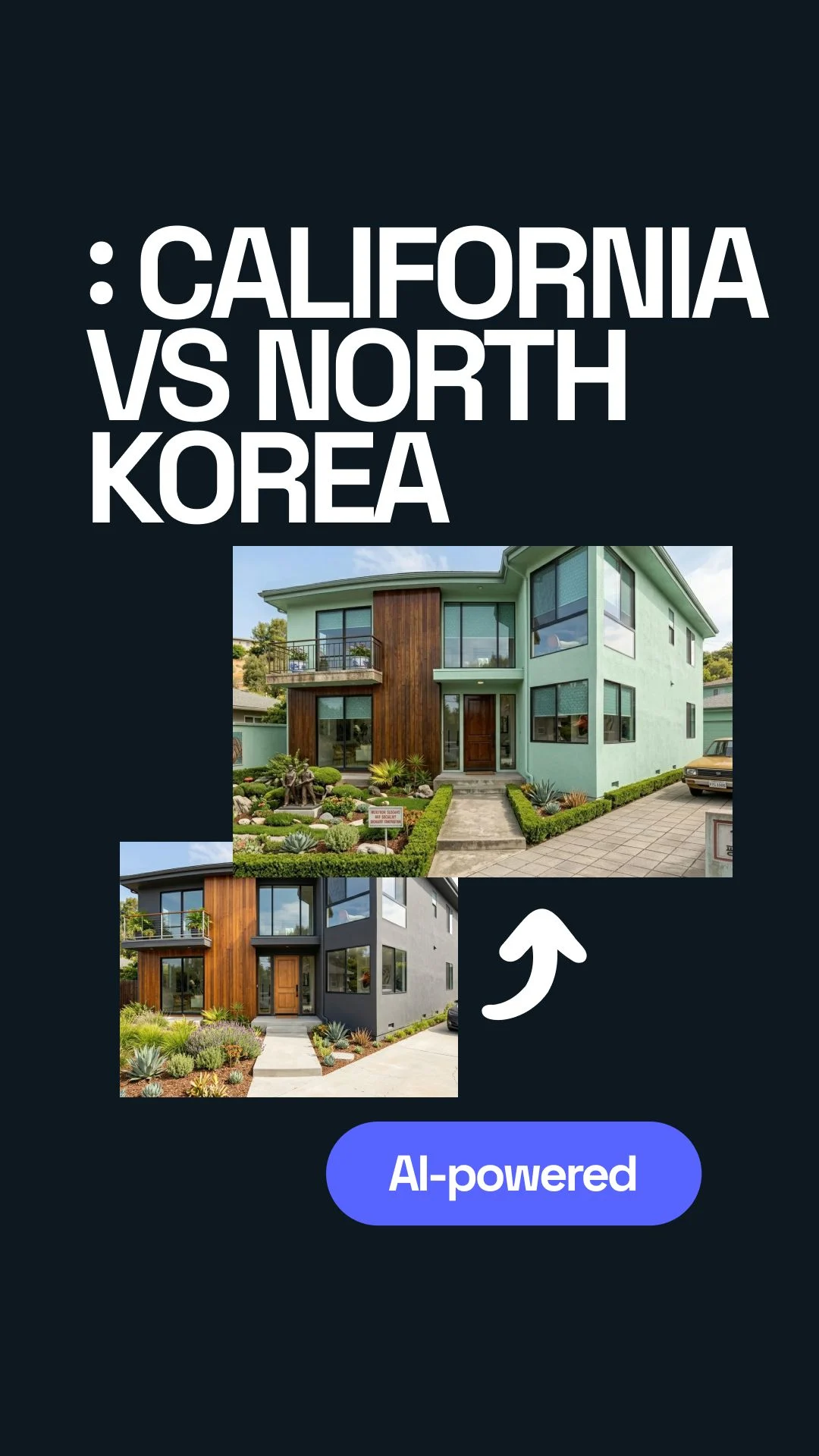
I had this nice modern house image. Big windows, clean lines, expensive-looking exterior, the usual “dream home” type of photo. I uploaded it into the AI tool and went straight to the location setting.
Then I picked North Korea. Honestly, I thought the result would be obvious: the same house, but with the mood, streets, colors, and surroundings changed so it looked like it was actually there.
The house was still there, but the AI did too much in some places and not enough in others. It changed the sky, added a colder feeling, made the building heavier, and somehow the whole thing looked dramatic in a way I did not ask for.
The first mistake: I gave the AI too little to work with
My original image looked good, but it was not the best image for this kind of test. The front of the house was partly hidden. The surroundings were too polished. The camera angle was also a little too “real estate brochure.”
That matters more than I expected. The AI was not only changing the location. It was trying to understand the building, the ground, the background, the light, and the style all at once.
A pretty image with a lot of mood, but not enough clear structure.
A cleaner exterior shot where the walls, roof, windows, and street area were easy to read.
Then I tried again, but slower
The second time, I stopped treating it like a magic button. I uploaded a house photo with a cleaner front view. I made sure the building shape was easy to see. Then I went back to the location menu and selected North Korea again.
This time I waited for the render instead of refreshing or changing things too quickly. It took a short moment, around the kind of wait where you think, “Okay, is it stuck?” and then the image appeared.
The result was better. Not perfect. But better.
The AI started to make the house feel less like a luxury villa dropped into nowhere and more like a building placed inside a stricter, colder, more controlled environment.
The simple workflow I would use now
After a few bad attempts, this is the version I would actually recommend.
- Pick a clear exterior photo of a house.
- Use a photo where the full building is visible.
- Open the location or environment setting.
- Select North Korea.
- Let the AI finish before changing anything.
- Run a second version if the first one feels too fake.
I would use https://www.uniify.space for this kind of visual experiment because the idea is not only to generate something pretty. The useful part is comparing versions and seeing what the AI changes.
What I expected, and where I was wrong again
I thought the AI would understand “North Korea” as a real place with specific architecture. That was too generous. It mostly understands patterns: concrete, wide spaces, colder light, heavier buildings, less glossy landscaping, and a more controlled city feel.
Sometimes that works. Sometimes it turns into a stereotype.
One render made the house look like a government building. Another made the street feel empty in a strange way. One version had windows that made no sense. There was also one result where the house looked fine, but the background looked like three different cities had been glued together.
So yes, the feature is fun. But you still have to look at the image like a person, not like someone trying to convince themselves the AI is always right.
The main insight: it is not about accuracy only
The useful part was not that the AI showed me the exact truth of what a house in North Korea would look like. It did not. The useful part was seeing how fast a building can be pushed into a different cultural and visual context.
That is where this becomes interesting for design. You can test mood, location, materials, density, street feeling, and atmosphere before doing any serious design work.
“This is exactly how homes look in North Korea.”
“This is a quick visual study of how location cues change the feeling of a house.”
My final takeaway is simple: use AI location rendering as a sketch tool. Not as proof. Not as research by itself. Not as a perfect answer. Just as a fast way to see what changes when a house is placed somewhere completely different.
And honestly, that was enough. I did not end up with one perfect image. I ended up understanding the process better, mostly because the first few results were wrong.
FAQ
Can AI really show what a modern house would look like in North Korea?
Not exactly. It can make a visual guess. The result can be interesting, but it should not be treated as a factual answer.
Why did some results look strange?
Because the AI is mixing the original house, the selected location, and patterns it has learned from images. Sometimes those pieces do not fit together cleanly.
What photo should I upload?
Use a clear exterior photo. Avoid heavy filters, extreme angles, cropped walls, or images where plants and shadows hide the actual building.
Is this useful for real architecture?
It is useful for early ideas and mood testing. For real architecture, you still need research, local knowledge, and professional design work.
Image and rights note
Hero image is used as a neutral modern-house placeholder from Unsplash. Generated outputs should be reviewed before publication, especially when referencing real countries, cultures, or political contexts.