
AI Interior Design Guide
How to Use AI to Choose Curtains or Blinds from a Photo
One room photo is enough to compare softness versus structure, blackout versus filtered light, and curtains versus blinds before you spend on fabric, hardware, or installation.
The real benefit is not “AI magic.” It is faster decision-making. A good AI workflow turns a static photo into a controlled comparison: same room, different window treatments, multiple iterations, and less expensive guesswork.


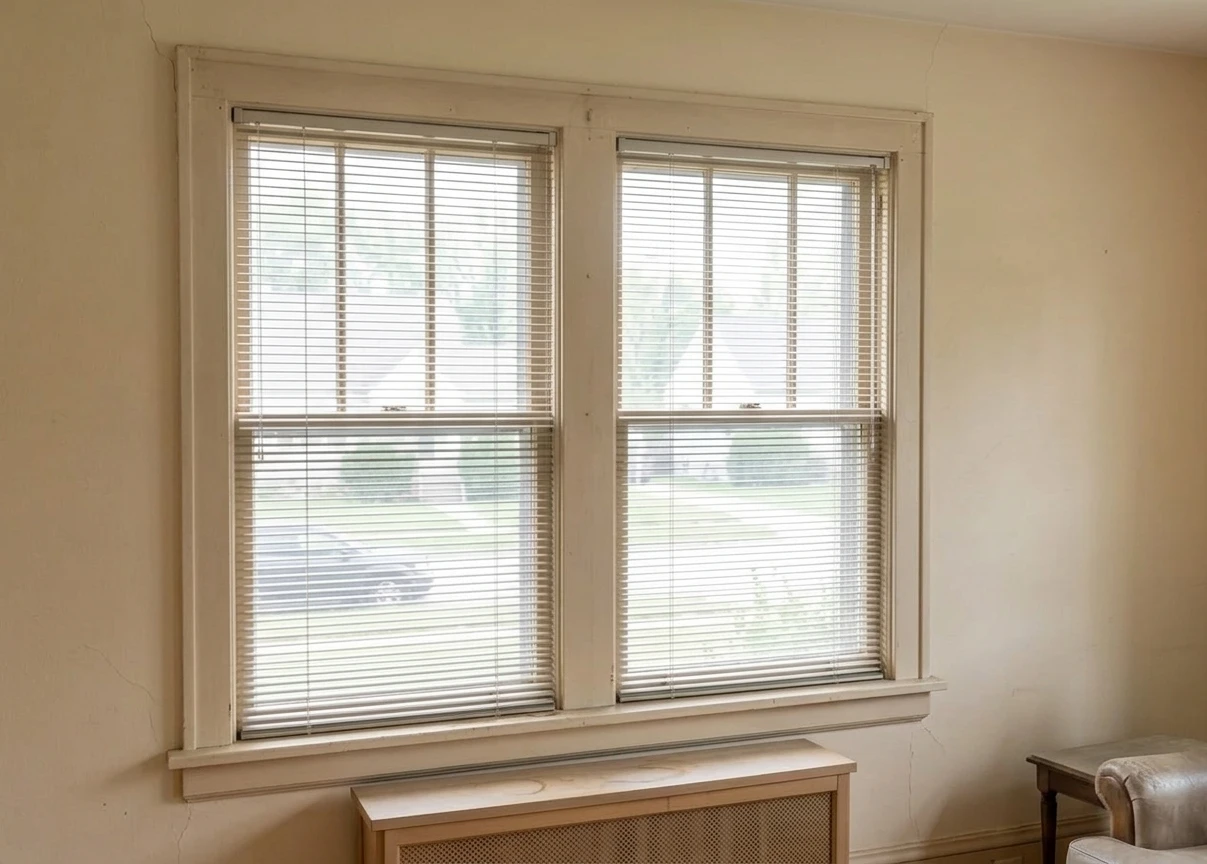

Transformed with AI by Uniify
The short thesis
AI is most useful when you already have a real room and need to compare options quickly. Instead of staring at product catalogs, you upload a photo, define constraints, generate previews, and narrow the decision to what actually fits your space.
Decision shortcut: Use AI to answer three questions in order: What improves the room’s visual balance? What solves light and privacy better? What still makes sense once you measure the window for purchase?
Why this works better than guessing
Window treatments affect more than style. They influence daylight, glare, privacy, thermal comfort, and how “finished” a room feels. The U.S. Department of Energy notes that window attachments can improve comfort, reduce glare, provide privacy, and help manage heat loss and heat gain; it also reports that about 30% of a home’s heating energy is lost through windows, while roughly 76% of sunlight falling on standard double-pane windows enters as heat.[1]
That matters because the choice between curtains and blinds is rarely just decorative. Blinds give finer control over glare and direct sunlight, while draperies can add softness and improve comfort when installed well.[1] AI helps because it can show those options in the same room, from the same camera angle, before you buy anything.
Traditional process
Catalog browsing → abstract swatches → imagination gap → purchase → regret risk
AI-assisted process
Room photo → structured prompt → instant preview → compare variants → measure → buy
There is also a workflow advantage. OpenAI’s image guidance emphasizes that clearer prompts produce closer visual matches and that the fastest way to improve results is iterative feedback rather than expecting a perfect first draft.[4] That is exactly how good interior decisions are usually made: compare, refine, eliminate, repeat.
What AI can actually judge from a photo
A strong AI preview is not reading your mind. It is inferring from visible signals in the room and from the constraints you provide. In practice, AI can be surprisingly useful at evaluating:
- Room style cues: modern, classic, Scandinavian, minimal, soft contemporary, hotel-like, cozy, formal.
- Window emphasis: whether the treatment should disappear into the architecture or become a decorative feature.
- Visual weight: whether your room needs softer fabric volume or cleaner linear structure.
- Light behavior: whether you need filtered daylight, privacy, glare control, blackout, or some combination.
- Proportion: whether floor-length drapes, inside-mount blinds, or layered treatments improve the room’s balance.
Important: a photo can suggest proportion, mood, and fit, but it cannot reliably replace measurement. Final selection still depends on recess depth, mount type, rod projection, stack height, and fabric openness.
From a design perspective, blinds are often stronger when you want precise light control and a cleaner visual line. Curtains are often stronger when the room feels hard, flat, or acoustically cold and needs softness. That design judgment is subjective, but AI previewing makes it visual instead of theoretical.
What the photo should include
Use a straight-on image whenever possible. Include the full window, surrounding wall, floor line, and at least one nearby piece of furniture. Daylighting guidance from the Whole Building Design Guide stresses that glare control and daylight quality depend on the relationship between windows, interior finishes, and room layout, not just the glazing itself.[2] In other words, context matters.
Best photo
Full window visible, level camera, natural daylight, no harsh clipping, enough surrounding room context.
Usable photo
Window mostly visible, some furniture included, mild shadows, moderate perspective distortion.
Poor photo
Night shot, blocked window, very wide-angle distortion, low resolution, blown highlights, heavy clutter.
Step-by-step workflow
This is the simplest workflow that consistently produces useful comparisons.
1. Upload a photo of the real window
Choose a photo that shows the full treatment zone, not just the glass. AI needs to “see” the sill, trim, ceiling relationship, and nearby furniture to make proportionally believable edits.
2. Tell the AI what problem you are solving
Do not start with “make it better.” Start with the decision itself. For example:
Good starting instruction: “Compare full-length curtains and inside-mount blinds for this bedroom window. I want a calmer, more minimal look with better light control in the morning.”
3. Add room-use constraints
The right window treatment depends heavily on the room’s function.
Useful constraints to specify
- Bedroom vs living room vs office
- Need for blackout, privacy, or glare reduction
- Preference for softness vs crisp lines
- Warm, cool, or neutral palette
- Budget direction: simple, premium, layered
What the AI does with that
- Changes treatment type and fabric weight
- Adjusts transparency and coverage
- Aligns color to the room palette
- Shifts style from decorative to restrained
- Creates more believable variations
4. Generate one conservative version first
Start with a realistic default, not the “dream version.” This gives you a baseline you can refine.
Baseline example: “Replace current treatment with light beige linen curtains, ceiling-mounted, full-length, soft daylight, minimal contemporary style.”
5. Generate a direct alternative
Now compare the other category in the same room and mood.
Alternative example: “Replace current treatment with white wood-look Venetian blinds, inside-mount, slightly warm tone, controlled daylight, minimal contemporary style.”
6. Refine only one variable at a time
Change material, then color, then fullness, then length, then light behavior. The more variables you change at once, the harder it is to learn what actually improved the result.
7. End with a purchase-oriented check
Once a direction wins visually, ask the AI to translate it into specifications:
Specification prompt: “Turn the selected look into a buying checklist: likely mount type, recommended openness or blackout level, suggested materials, color family, and what measurements I need to confirm before ordering.”
Practical rule: AI should narrow your options from twenty to two. It should not be the final authority on the exact product you buy.
Prompt formula that actually works
The easiest way to improve image-edit results is to stop writing vague prompts and start using a fixed structure. OpenAI’s guidance is explicit: clearer and more detailed prompts produce closer alignment, and iterative feedback improves output quality.[4]
Use this formula:
[Action] + [Treatment type] + [Material] + [Color] + [Mount/length] + [Light behavior] + [Room style]
Example: Replace current curtains with full-length oatmeal linen drapes, ceiling-mounted, soft filtered daylight, calm Scandinavian bedroom.
High-performing prompt patterns
For curtains
- Replace current treatment with warm beige linen drapes, full-length, ceiling-mounted, soft daylight, minimalist interior.
- Add sheer white curtains layered with blackout panels, hotel-like bedroom, calm neutral palette.
- Try textured off-white cotton curtains, slightly fuller folds, cozy living room, diffused afternoon light.
For blinds
- Replace curtains with white Venetian blinds, inside-mount, crisp lines, controlled daylight, minimal home office.
- Try warm oak blinds, medium slat width, natural sunlight, modern organic interior.
- Convert current treatment to blackout roller blinds, charcoal grey, neat fit, clean contemporary bedroom.
Best follow-up commands
Change only softness
“Make the curtains less bulky and more tailored.”
Change only light
“Keep the same style but increase privacy and reduce glare.”
Change only mood
“Keep the same blinds but make the room feel warmer and calmer.”
Curtains vs blinds: a smarter decision framework
Use AI to compare more than looks. The strongest choice is the one that fits the room’s light, privacy, and visual rhythm.
Curtains usually win when you want:
- A softer or more finished room
- Visual height from floor-to-ceiling lines
- Layering with sheers or blackout panels
- Better perceived comfort in bedrooms and living rooms
- More decorative impact around the window
DOE notes that conventional draperies can reduce heat loss from a warm room by up to 10% in cold weather, and medium-colored draperies with white-plastic backings can reduce heat gains by 33% in summer conditions.[1]
Blinds usually win when you want:
- Sharper light and glare control
- A cleaner, less bulky look
- Better suitability for kitchens and work areas
- Inside-mount precision
- Quick daily adjustment without fabric volume
DOE describes louvered blinds as effective for reducing summer heat gain and glare while still allowing good daylight indoors, largely because the slats can be adjusted for control.[1]

Fast room-by-room rule of thumb
Choose curtains first for:
Bedrooms, living rooms, guest rooms, tall windows, rooms that feel echoey or visually cold, and spaces where softness matters more than micro-control.
Choose blinds first for:
Home offices, kitchens, compact rooms, moisture-prone spaces, and windows where a tight architectural fit matters more than decorative volume.
When layered solutions beat both
Sometimes the correct answer is not curtains or blinds, but a layered system: sheer curtains for softness plus roller blackout behind; or blinds for control plus side drapery panels for warmth. This is especially effective when one solution needs to serve both daytime glare and nighttime privacy.
From a performance perspective, the decision is really about trade-offs. Berkeley Lab notes that daylighting design must balance light delivery against glare, and that interior shades can reduce daylighting potential if they are simply dropped without a better strategy.[3] AI previewing helps you test those trade-offs visually before installation.
Common mistakes that ruin AI results
1. Being too vague
“Make it nicer” gives the model almost no design intent. Better: state the treatment type, material, color family, and room mood.
2. Asking for contradictory styles
“Modern vintage luxury minimalist” is not a direction. Pick one dominant style and one secondary qualifier.
3. Ignoring how the room is used
A bedroom with morning sun needs a different answer from a living room that mainly needs softness and filtered afternoon light.
4. Evaluating only the window, not the room
A treatment can look good in isolation and still be wrong for the room. Check how it changes ceiling height, wall width, visual clutter, and color balance.
5. Treating the first image as final
Good AI design work is iterative by nature. Clear first prompt, then controlled feedback, then spec translation. That matches the best-practice guidance for image prompting and editing.[4][5]
Where AI is strong and where it fails
AI is strong at:
- Comparing curtains versus blinds in the same room
- Finding a style direction quickly
- Testing color and material families
- Showing how softness or structure changes the room
- Reducing decision fatigue before shopping
AI is weak at:
- Exact measurement and mount verification
- Perfect fabric texture realism on every render
- Exact match to a retail SKU
- Predicting hardware projection and stack depth precisely
- Handling blocked, dark, or distorted photos
Before ordering anything, confirm: width and height, inside versus outside mount, recess depth, obstruction clearance, rod or cassette location, and whether you need blackout, solar control, or just filtered privacy.
One practical upgrade after AI previewing
Once you have chosen a direction, check whether your preferred product family has an energy-performance label. The Department of Energy recommends looking for AERC-certified window attachments for added comfort and energy savings, and AERC provides a searchable certified product database.[1][6]
Try the workflow on uniify.space: upload a window photo, ask for curtain and blind variants in the same room, refine the result with short follow-up commands, then convert the winning version into a measurement and buying checklist.
Final checklist before you decide
Visual
Which version improves the room’s balance, softness, height, and overall coherence?
Functional
Which version handles privacy, glare, and daylight the way you actually live?
Practical
Which version still makes sense after real-world measuring, installation, and maintenance?
If two options still feel close, that usually means the room needs a layered answer or a tighter prompt, not a random purchase.
FAQ
Can AI really tell whether curtains or blinds will look better in my room?
It can make a strong visual recommendation when the photo is clear and the prompt includes style, mood, privacy needs, and lighting. It is best for comparison and direction-setting, not for replacing measurement or installation planning.
What kind of photo works best?
Use a straight-on photo in daylight that shows the whole window area plus some surrounding room context. Nearby furniture and wall space help the AI judge proportion and palette.
What should I always include in the prompt?
Name the treatment type, material, color, length or mount, light behavior, and room style. The more concrete your description, the fewer iterations you usually need.[4]
When do blinds usually beat curtains?
When you need sharper light control, a cleaner line, or a more compact fit. They are often the better first option in kitchens, workspaces, and visually tight rooms.
When do curtains usually beat blinds?
When the room needs softness, more decorative finish, layered privacy, or a calmer bedroom or living-room mood.
Can AI match an exact retail product from the preview?
Not reliably. Treat the preview as conceptual. Translate the chosen look into measurements, openness or blackout needs, material family, and hardware requirements before shopping.
References
- U.S. Department of Energy, Energy Efficient Window Coverings. Used for heat-loss, solar-gain, glare, privacy, drapery, blinds, and AERC guidance.
- Whole Building Design Guide, Daylighting. Used for glare-control and room-context guidance.
- Lawrence Berkeley National Laboratory, Low Energy Facades & Daylighting. Used for daylighting trade-off and glare discussion.
- OpenAI Academy, Creating images. Used for prompt clarity and iterative refinement guidance.
- OpenAI Developers, Image generation. Used for image-editing workflow context.
- Attachments Energy Rating Council, AERC Rating & Certification and Certified Product Search. Used for post-preview product validation guidance.
- Hero image source: Wikimedia Commons, Breather Montreal interior (Unsplash), CC0 1.0.
- Blinds image source: Wikimedia Commons, Window blinds by Tiia Monto, CC BY-SA 4.0.
.jpg)
